
Taming the String Chaos: A Better Way to Manage Android String Resources
We’ve all been there. You open your Android project’s strings.xml file, ready to add a new string resource, only to find yourself scrolling through hundreds of unrelated entries: login screen labels, error messages, homepage buttons, and random tooltips all jammed into one file. It’s like trying to find a needle in a haystack.
Introduction: The Strings.xml Dilemma
 Your current strings.xml
The traditional approach of dumping every string into a single strings.xml file works… until it doesn’t. As projects grow, this method becomes messy, error-prone, and frustrating. But what if there’s a cleaner, more scalable way? Let’s rethink how we organize string resources.
The Problem with a Single Strings.xml File
-
Navigational Nightmare: Finding specific strings becomes time-consuming, especially in large projects.
-
Merge Conflicts: When multiple developers edit the same file, conflicts are inevitable.
-
Lack of Context: Strings for different screens (e.g., login vs. settings) live together, making it harder to track usage.
-
Duplication Risks: Without clear structure, developers might unintentionally recreate existing strings.
The Solution: Modular String Resource Files
Instead of treating strings.xml as a catch-all, let’s organize strings into modular, purpose-driven files. Here’s how:
1. Create Separate Files for Each Screen/Feature
Example:
-
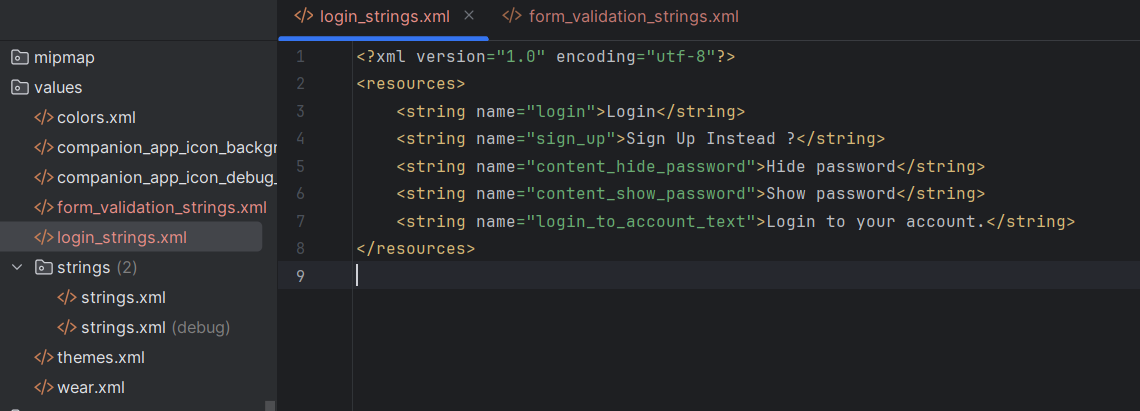
login_strings.xml
-
profile_strings.xml
-
settings_strings.xml
Why?
-
Logical grouping: All strings for a screen are in one place.
-
Easier to audit, update, or delete strings when a feature changes.
2. Use a Common Strings File for Shared Content
- Create common_strings.xml for reusable strings like "Submit", "Cancel", or error messages. Well, naming conventions might differ but you get the gist !
Why?
-
Avoid duplicating strings like “Loading…” across multiple files.
-
Centralize frequently used terms for consistency.
3. Adopt a Clear Naming Convention
-
Prefix strings with their screen or purpose:
-
login_screen_email_hint instead of email_hint
-
common_retry_button instead of retry
Why?
-
Eliminates ambiguity when autocompleting in code.
-
Makes it easier to track where a string is used.
What This Looks Like in Practice
Before (Chaos in strings.xml):
<string name="welcome_message">Welcome back!</string>
<string name="login_error">Invalid credentials</string>
<string name="profile_edit_button">Edit Profile</string>
<string name="settings_title">Settings</string>
After (Organized Structure):
<!-- login_screen_strings.xml -->
<string name="login_welcome_message">Welcome back!</string>
<string name="login_error">Invalid credentials</string>

<!-- profile_screen_strings.xml -->
<string name="profile_edit_button">Edit Profile</string>

<!-- common_strings.xml -->
<string name="common_submit">Submit</string>
Bonus: Android Studio Shortcuts to Save Time
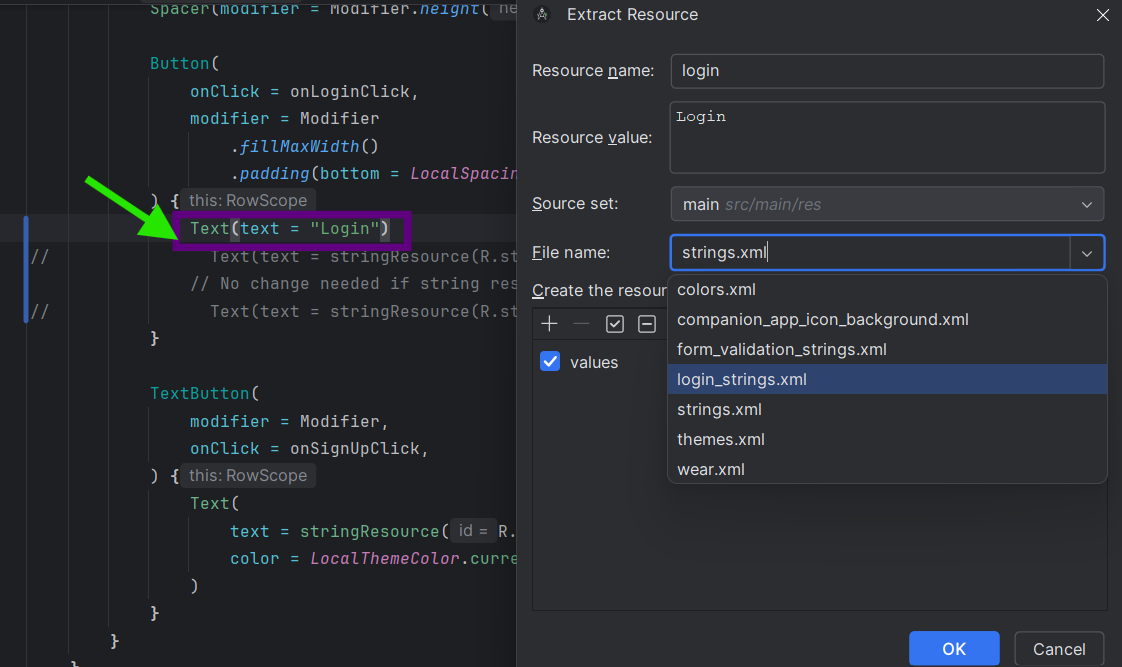
- Extract String Resource (Alt + Enter):
-
Highlight a hardcoded string in your XML or Kotlin/Java file, press Alt + Enter, and choose Extract string resource.
-
Pro Tip: Use the dropdown to select an existing file (e.g., login_screen_strings.xml) or create a new one on the fly.
But Wait — Don’t Overdo It!
-
Avoid Over-Segmentation: Don’t create a new file for every tiny feature. Group logically (e.g., onboarding_strings.xml for 3–4 related screens).
-
Balance Consistency and Flexibility: Keep truly global strings (like app names) in strings.xml, but move screen-specific ones elsewhere.
Why This Approach Wins
-
Faster Development: Spend less time searching, more time coding.
-
Cleaner Collaboration: Reduce merge conflicts and onboard new developers faster.
-
Scalability: Your resource folder grows with your app, without becoming unmanageable.
How would you use strings resources now?
Well, there’s no difference.
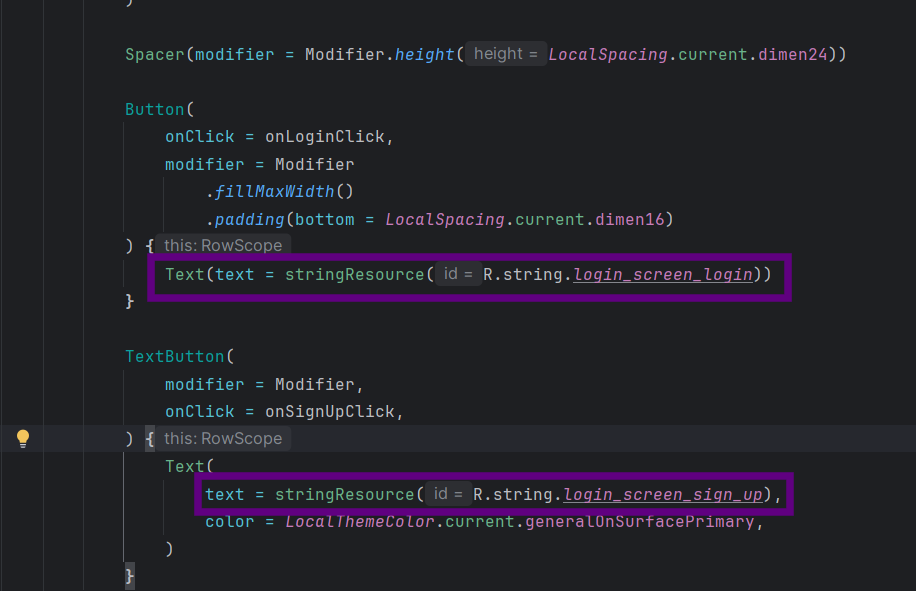 Your previous way of using strings resources
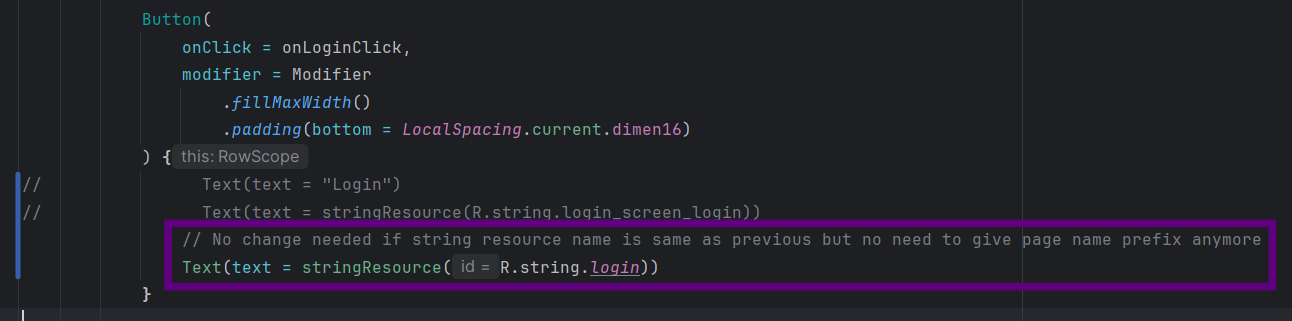 Your current way of using strings resources
Your Turn!
Next time you’re tempted to add a string to strings.xml, pause and ask: “Does this belong in a dedicated file instead?” Trust me, your future self (and your team) will thank you.
What’s your take? Do you have a different strategy for managing strings? Or you already follow this? Share your tips in the comments!