
Mastering Dependency Injection in Android with Dagger Hilt (and a Contrast Taste of Koin)
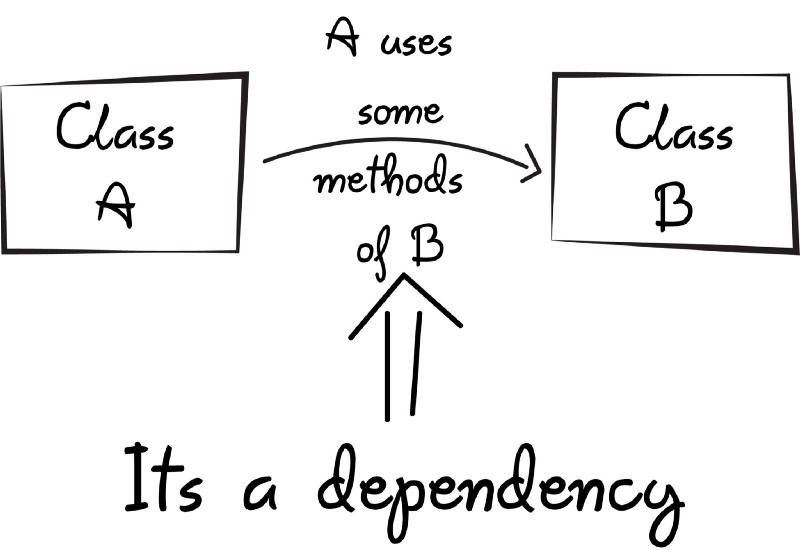
In modern Android development, dependency injection (DI) is a key technique to build modular, testable, and maintainable apps. In DI, a class does not create its own dependencies; instead, dependencies are provided (injected) from the outside. In other words, the class receives the objects it needs rather than constructing them itself. This “inversion of control” makes your code loosely coupled and easier to refactor. For example, a UserRepository can be injected into a ViewModel rather than the ViewModel building the repository, so you can swap implementations or mock it during tests. In Android, doing all this by hand is tedious. You would have to manually construct every object and manage its lifecycle.
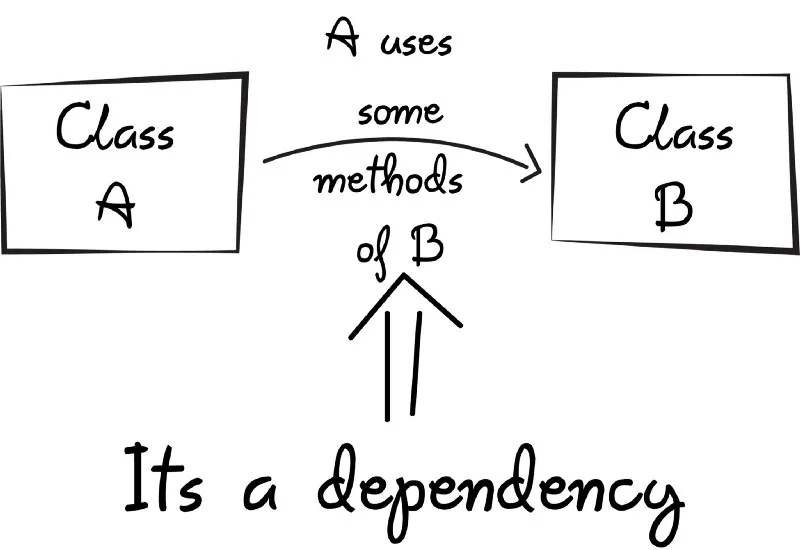
 Source: FreeCodeCamp
That’s where Hilt (a Jetpack DI library) comes in. Hilt is Google’s recommended DI framework for Android, built on top of Dagger. It reduces boilerplate by auto-generating the underlying Dagger components for Android classes. Hilt provides standard containers for your Application, Activity, ViewModel, etc., and manages their lifecycles automatically. Because Hilt is based on Dagger, it offers compile-time correctness and performance – Hilt checks your wiring at build time for type-safety and generates efficient bytecode. In short, using Hilt means less manual wiring and safer, faster DI in Android.
In this guide, we’ll walk through the complete setup and usage of Hilt in an Android Kotlin app (with an example “Recipe” app), step by step. Note that all code examples here are for illustrations. We’ll show constructor injection, Hilt modules, scopes, and how to integrate with ViewModels and Activities. We’ll also briefly demonstrate an alternative approach using Koin, a lightweight Kotlin DI framework, to highlight the differences. No detail will be spared – this is a deep dive aimed at beginners and experts alike.
Why Use Dependency Injection?
Before we dive into code, let’s recap why DI is so useful. Without DI, each class in your app would create or find the objects it needs. For example, an Activity might have code like:
val apiService = ApiService()   // constructing dependency manually
val repo = RecipeRepository(apiService)
val viewModel = RecipeViewModel(repo)
Manually constructing every class and its dependencies leads to tight coupling: the Activity needs to know about ApiService and RecipeRepository. This makes refactoring or testing difficult. It violates the Dependency Inversion Principle: high-level modules (like Activities) depend on concrete implementations.
With dependency injection, we invert control. We tell a DI framework, “Here is how to create ApiService and RecipeRepository. When someone needs a RecipeRepository, give them this implementation.” Then in the Activity, we simply request the ViewModel or repository, without knowing how it’s built. This leads to:
-
Loosely coupled code: Classes depend on interfaces (e.g. RecipeRepository) rather than concrete classes. You can swap implementations without changing the consumer.
-
Easier maintenance: You declare what you need, not how to build it. The wiring is handled by the DI container.
-
Single Responsibility: Classes focus on their logic, not on obtaining dependencies.
-
Configuration flexibility: Changing a dependency (say, swapping a mock for a real implementation) is done in the DI setup, not by editing every class.
-
Compile-time safety: In frameworks like Hilt/Dagger, the compiler checks that all dependencies are provided, avoiding runtime errors.
One concise definition of DI is: “a programming technique in which an object or function receives other objects or functions that it requires, as opposed to creating them internally”. The benefits include loose coupling and separation of concerns: your code does not need to know how to construct its dependencies, just how to use them. In Android apps, this is especially valuable as apps grow in complexity.
Google’s Hilt takes care of the heavy lifting: it generates and wires up the necessary code so you don’t have to manually call constructors everywhere. As the official docs note, “Hilt is a dependency injection library for Android that reduces the boilerplate of doing manual dependency injection”. In contrast, manual DI means writing code to create every dependency yourself. Hilt automates that via annotations and generated containers.
Introducing Hilt: The Official Android DI Library
Hilt is essentially a set of annotations and a code generator built on Dagger. It offers:
-
Built-in Android components: Hilt provides ready-made components/scopes for the Android lifecycle (Application, Activity, Fragment, ViewModel, etc.), so you don’t have to define custom components.
-
Annotations for simplicity: You mark your classes and modules with Hilt annotations (@Inject, @Module, @HiltAndroidApp, @AndroidEntryPoint, etc.) and Hilt generates the boilerplate.
-
Compile-time safety: Because it’s based on Dagger, Hilt resolves dependencies at compile time. This catches errors early and has no reflection overhead at runtime.
-
Google support: Hilt is officially recommended by Google for DI in Android, so it has good documentation and community support.
In summary, Hilt saves you from writing repetitive setup code. For example, instead of manually constructing a RecipeRepository and all its dependencies in each Activity, you declare how to build it once in a module or via @Inject constructors, and then just “inject” it where needed. This makes your code cleaner and your intent clearer.
Setting Up Hilt in Your Android Project
Let’s get started by adding Hilt to an Android project. Follow these steps:
-
Add the Hilt Gradle plugin. In your project-level build.gradle (or settings.gradle/build.gradle.kts), include the Hilt plugin. For example, using the Gradle plugins DSL in the root build.gradle:
plugins { // ... other plugins ... id 'com.google.dagger.hilt.android' version '2.56.2' apply false }
This makes the Hilt Gradle plugin available. (Check for the latest Hilt version on Maven.)
-
Apply Hilt and KSP in your app module. In your app module’s build.gradle (or build.gradle.kts), apply the Hilt plugin and add Hilt dependencies. For example:
plugins { id 'com.android.application' id 'kotlin-android' id 'com.google.dagger.hilt.android' // Hilt plugin id 'com.google.devtools.ksp' // Kotlin Symbol Processing (for Hilt compiler) }
android { // ... your android config (minSdk, compileSdk, etc.) ... }
dependencies { implementation "com.google.dagger:hilt-android:2.56.2" ksp "com.google.dagger:hilt-compiler:2.56.2" // (If using kapt instead of KSP, use: kapt "com.google.dagger:hilt-compiler:2.56.2") }
Here we add hilt-android and the Hilt compiler. KSP is one way to run annotation processors in Kotlin; you could also use kapt depending on your setup. The exact versions should match the plugin version. This setup comes directly from the official docs.
-
Enable Java 8 (if not already). Hilt uses some Java 8 language features. In your android { } block, ensure compatibility:
compileOptions { sourceCompatibility JavaVersion.VERSION_1_8 targetCompatibility JavaVersion.VERSION_1_8 } kotlinOptions { jvmTarget = "1.8" }
-
Add the Hilt Android App annotation. Create (or edit) your Application subclass and annotate it with @HiltAndroidApp. For example:
@HiltAndroidApp class MyApplication : Application() { // override onCreate() if you need app init logic }
The @HiltAndroidApp annotation triggers Hilt’s code generation. It generates a base class that your application inherits from, which serves as the application-level dependency container. In other words, this annotation tells Hilt to build the root component and manage app-wide singletons. According to the official guide, “All apps that use Hilt must contain an Application class that is annotated with @HiltAndroidApp. This triggers Hilt’s code generation, including a base class for your application that serves as the application-level dependency container.”. Don’t forget to register your Application class in the manifest (e.g. ).
-
Annotate Activities/Fragments for injection. Any Android class where you want Hilt to perform injection (e.g. Activities, Fragments, Services, BroadcastReceivers, ViewModels) must be annotated with @AndroidEntryPoint. For example:
@AndroidEntryPoint class MainActivity : AppCompatActivity() { // This can be ComponentActivity as well // ... }
This tells Hilt to generate the necessary code so that the activity can receive dependencies. The Android docs explain: “An activity or a fragment that is annotated with @AndroidEntryPoint can get the ViewModel instance as normal using by viewModels()”. In practice, it also enables field injection or ViewModel injection (via the Hilt extensions) in that class. Remember to annotate each Activity/Fragment where you inject dependencies.
At this point, Hilt is integrated into your project. Next, we’ll learn how to declare the actual dependencies (repositories, services, etc.) and inject them.
Defining Dependencies: Constructor Injection and Hilt Modules
With Hilt set up, you can now tell it how to provide instances of your classes. There are two main ways:
-
Constructor Injection (recommended for your own classes).
-
Modules with @Provides or @Binds (for interfaces or third-party classes).
Constructor Injection
For any class you control (i.e., one you wrote), you can simply annotate its constructor with @Inject. Hilt will then know how to create it when needed. For example:
class AnalyticsAdapter @Inject constructor(
    private val service: AnalyticsService
) {
    // ...
}
In this snippet, the @Inject annotation on the constructor tells Hilt that whenever an AnalyticsAdapter is required, Hilt can create one by calling this constructor and providing an AnalyticsService. The official guide illustrates this pattern:
“Use the @Inject annotation on the constructor of a class to tell Hilt how to provide instances of that class.”
So in your code, you might do something like:
class RecipeRepositoryImpl @Inject constructor() : RecipeRepository {
    override fun getRecipes(): List<Recipe> {
        // Return some hardcoded recipes, or fetch from a database/network
        return listOf(
            Recipe(1, "Pasta", "Delicious Italian pasta"),
            Recipe(2, "Tacos", "Spicy Mexican tacos"),
            Recipe(3, "Cauliflower Pakoda", "Deep fried Cauliflower with other ingridients")
        )
    }
}
Here we have a RecipeRepositoryImpl that implements a RecipeRepository interface. By annotating the constructor with @Inject, Hilt knows how to create RecipeRepositoryImpl. Note that Hilt can also inject other dependencies into this constructor if needed (e.g., if it needed an ApiService parameter, Hilt would attempt to provide that too).
Using constructor injection is clean because it requires almost no extra code. As long as all constructor parameters are themselves available to Hilt (either with their own @Inject constructors or via modules), Hilt will handle it.
Hilt Modules (@Module, @InstallIn, @Provides, @Binds)
Sometimes constructor injection isn’t possible or sufficient:
-
Interfaces: Hilt needs to know what implementation to use for an interface. You cannot put @Inject on an interface.
-
Third-party classes: Classes from external libraries (e.g. Retrofit, OkHttp, Room, etc.) can’t be annotated with @Inject.
-
Complex initialization: Sometimes you need to create an object via a builder or factory method.
For these cases, you use a Hilt module. A Hilt module is a class annotated with @Module that provides bindings. Unlike plain Dagger, Hilt modules must also be annotated with @InstallIn to specify which Hilt component (container) they belong to. For example, a singleton binding would go in SingletonComponent, an activity-scoped binding in ActivityComponent, etc.
Official docs explain:
“A Hilt module is a class that is annotated with @Module. Like a Dagger module, it informs Hilt how to provide instances of certain types. Unlike Dagger modules, you must annotate Hilt modules with @InstallIn to tell Hilt which Android class each module will be used or installed in.”
An example module using @Provides might look like this:
@Module
@InstallIn(SingletonComponent::class) // Application-level
object NetworkModule {
    @Provides
    @Singleton
    fun provideRetrofitService(): RecipeApiService {
        return Retrofit.Builder()
            .baseUrl("https://example.com/")
            .addConverterFactory(GsonConverterFactory.create())
            .build()
            .create(RecipeApiService::class.java)
    }
}
In this NetworkModule, we define a function with @Provides. The return type RecipeApiService is what Hilt will supply. The @Singleton annotation here (in conjunction with SingletonComponent) means Hilt will reuse the same instance throughout the app. The function body shows how to create the service (calling Retrofit’s builder). When Hilt needs a RecipeApiService, it will call this function. The docs note that an @Provides method’s return type tells Hilt what it provides and its parameters (if any) tell Hilt how to get other dependencies.
Alternatively, you can use @Binds to bind an interface to an implementation (more efficient than @Provides when you simply return a constructor-injected class). For example:
@Module
@InstallIn(SingletonComponent::class)
abstract class RepositoryModule {
    @Binds
    abstract fun bindRecipeRepository(
        impl: RecipeRepositoryImpl
    ): RecipeRepository
}
This tells Hilt: when someone needs a RecipeRepository, use the provided RecipeRepositoryImpl (which itself can have an @Inject constructor). Because this is in SingletonComponent, Hilt will provide the same repository instance whenever needed in the app (unless otherwise scoped). (Here we assume RecipeRepositoryImpl has an @Inject constructor; if it needed extra parameters, Hilt would resolve those too.)
In short, use constructor injection wherever possible, and use modules with @Provides/@Binds when you need to map interfaces or supply external objects. Don’t forget to annotate modules with @InstallIn(...) – for example, use @InstallIn(SingletonComponent::class) to make the bindings available app-wide.
Scoping with Hilt
Hilt provides built-in components with associated scopes. The most common is the SingletonComponent (application scope). If you annotate a binding in a @Module installed in SingletonComponent with @Singleton, Hilt creates one instance for the entire app. For example, in the module above provideRetrofitService() was marked @Singleton, meaning every injection of RecipeApiService yields the same instance (lazily created). As the docs explain, this makes Hilt provide the same object every time: “whenever the component needs to provide an instance of AnalyticsService, it provides the same instance every time” when using @Singleton.
Hilt also has other scopes, like @ActivityRetainedScoped, @ActivityScoped, and @ViewModelScoped, corresponding to other components (Activity, ViewModel, etc.). In practice, for most apps you’ll have a few application-singletons (network, database, etc.) and possibly some shorter-lived ones. For now, remember: @InstallIn(SingletonComponent::class) + @Singleton = application-wide singleton.
Example Project: A Simple Recipe App with Hilt
To make this concrete, let’s build a small example. We’ll create a Recipe App that lists recipes from a RecipeRepository. We’ll use Hilt to inject the repository into a ViewModel and use that in an Activity.
1. Application Class
First, we annotate the Application:
@HiltAndroidApp
class RecipeApplication : Application()
This is all that’s needed for Hilt to initialize.
2. Data Model
Define a simple data class for recipes:
data class Recipe(val id: Int, val name: String, val description: String)
3. Repository Interface and Implementation
Define a repository interface:
interface RecipeRepository {
    fun getRecipes(): List<Recipe>
}
Now provide an implementation. We can make it very simple (no real network or database):
class RecipeRepositoryImpl @Inject constructor() : RecipeRepository {
    override fun getRecipes(): List<Recipe> {
        // In a real app, this might fetch from API or DB. Here we hardcode some data.
        return listOf(
            Recipe(1, "Spaghetti Carbonara", "Classic Italian pasta."),
            Recipe(2, "Chicken Tacos", "Spicy grilled chicken tacos."),
            Recipe(3, "Chocolate Cake", "Rich and moist chocolate cake.")
        )
    }
}
We annotated the constructor with @Inject, so Hilt knows how to create RecipeRepositoryImpl (it has no parameters here, but if it did, Hilt would resolve them too).
However, Hilt can’t know that RecipeRepositoryImpl should be used when someone asks for the interface RecipeRepository. We need to tell Hilt to bind the interface to the implementation. We do this with a module:
@Module
@InstallIn(SingletonComponent::class)
abstract class RepositoryModule {
    @Binds
    abstract fun bindRecipeRepository(
        impl: RecipeRepositoryImpl
    ): RecipeRepository
}
Here we use @Binds (which must be in an abstract class). It tells Hilt: “When someone requests a RecipeRepository, use a RecipeRepositoryImpl”. This module is installed in SingletonComponent, making the binding app-wide. (Since we didn’t specify a scope on the RecipeRepository, Hilt will provide a new instance each time by default. If we wanted one instance, we could annotate the binding or the constructor with @Singleton.)
@Binds is preferred in this case, But Alternatively, you might do something like below using @Provides, But only one should be present in your code, else you will receive an error while building.
@Module
@InstallIn(SingletonComponent::class)
object RepositoryModule {
    @Singleton
    @Provides
    fun provideRecipeRepository(
        impl: RecipeRepositoryImpl
    ): RecipeRepository {
        return impl
    }
}
**Key Differences between @Provides and **@Binds and When to Use Each:
-
An @Provides method contains code that creates or configures an object. In contrast, an @Binds method only binds an already-constructed type to an interface. In other words, @Provides has a method body, whereas @Binds is abstract and has no body.
-
Because @Binds is just a mapping, it generates less boilerplate code. The build tool generates only a small proxy class to connect the interface to the implementation. In contrast, each @Provides method generates a factory class and potentially more code, which can slightly increase build times and the final method count in the APK. For large projects, using @Binds wherever possible can speed up compilation.
-
Use @Binds when: You have an interface (e.g. UserRepository, AnalyticsService) and exactly one implementation that can be constructor-injected. In Hilt, this is very common for repository and service abstractions. The @Binds method cleanly tells Hilt which implementation to use. For example, if MyRepositoryImpl is already annotated with @Inject constructor(...), then a bind method is succinct and efficient.
-
Use @Provides when:
**[A] **You need to supply a class that you cannot annotate with @Inject (for example, a third-party class like Retrofit or an Android framework class). Such classes often require a builder or factory to create. The Hilt docs explicitly note that interfaces or classes from external libraries (e.g. Retrofit, OkHttp) must be provided via @Provides methods.
[B] You need custom creation logic (conditional logic, loops, parsing, reading from preferences, etc.). In these cases you implement the logic in the @Provides method body.
[C] You have multiple implementations of the same type and want to distinguish them with qualifiers. You would then write separate @Provides methods (with @Named or custom qualifiers) to supply each one.
In practice, developers often prefer constructor injection whenever possible (no module needed at all). When a module is needed, pick the simplest tool: try to use @Binds for interface bindings (it’s lean and clear). If that’s not possible (no injectable constructor or more complex creation), use @Provides with the necessary code.
4. ViewModel with Hilt
Next, we create a ViewModel that uses the repository. With Hilt, you use the @HiltViewModel annotation (from hilt-lifecycle-viewmodel), and annotate its constructor with @Inject. For example:
@HiltViewModel
class RecipeViewModel @Inject constructor(
    private val repository: RecipeRepository
) : ViewModel() {
    fun listRecipes(): List<Recipe> = repository.getRecipes()
}
Because RecipeRepository is an interface, Hilt will use our binding above to provide RecipeRepositoryImpl.
“Provide a ViewModel by annotating it with @HiltViewModel and using @Inject in the ViewModel’s constructor.”
This allows Hilt to create RecipeViewModel and supply its repository parameter. Note that we didn’t explicitly create the ViewModel; instead, Hilt integrates with Jetpack so that when we request the ViewModel, it performs injection automatically.
5. Activity Injection
Now we set up the MainActivity. We annotate it with @AndroidEntryPoint, and then we can get the RecipeViewModel using the usual KTX delegate:
@AndroidEntryPoint
class MainActivity : AppCompatActivity() {
    private val viewModel: RecipeViewModel by viewModels()

    override fun onCreate(savedInstanceState: Bundle?) {
        super.onCreate(savedInstanceState)
        // Suppose activity_main.xml has a RecyclerView or TextView to show recipes.
        setContentView(R.layout.activity_main)
        // Use the ViewModel to get data
        val recipes = viewModel.listRecipes()
        // For demonstration, just log or display first recipe
          Log.d("MainActivity", "First recipe: ${recipes[0].name}")
    }
}
We annotated the activity with @AndroidEntryPoint so Hilt can inject into it. Then we used by viewModels() to obtain the RecipeViewModel. Because of Hilt, this viewModels() delegate gives us a ViewModel instance with its dependencies (the repository) already injected.
“An activity or a fragment that is annotated with @AndroidEntryPoint can get the ViewModel instance as normal using by viewModels().”
Under the hood, Hilt generated the factory for RecipeViewModel and knows how to pass in RecipeRepository.
That’s the core flow: the Activity never manually constructs the Repository or the ViewModel; Hilt does it. In summary, our setup was:
-
@HiltAndroidApp on Application to start Hilt.
-
A @Module @InstallIn(SingletonComponent::class) to bind RecipeRepository to its implementation.
-
@HiltViewModel on RecipeViewModel with an @Inject constructor.
-
@AndroidEntryPoint on MainActivity to allow injection.
With this in place, when the activity starts, Hilt creates RecipeRepositoryImpl, provides it as a RecipeRepository, injects it into RecipeViewModel, and the activity can use the ViewModel. No new or manual instantiation needed.
6. (Brief Note on MVVM)
We chose an MVVM-style setup (Activity -> ViewModel -> Repository). Hilt works with any architecture; you could just as well inject directly into an MVP Presenter or any other class. The key is that Hilt knows how to supply your objects. Using a ViewModel is recommended for Android apps for lifecycle reasons, but the DI setup is the same.
Recap of Hilt in Code
Putting it all together, here are the main annotated pieces in one place:
// 1. Application class
@HiltAndroidApp
class RecipeApplication : Application()

// 2. Repository interface
interface RecipeRepository {
    fun getRecipes(): List<Recipe>
}

// 3. Repository implementation (constructor-injected)
class RecipeRepositoryImpl @Inject constructor() : RecipeRepository {
    override fun getRecipes(): List<Recipe> {
        return listOf(
            Recipe(1, "Spaghetti Carbonara", "Classic Italian pasta dish."),
            Recipe(2, "Chicken Tacos", "Spicy grilled chicken tacos.")
        )
    }
}

// 4. Hilt module for binding interface to implementation
@Module
@InstallIn(SingletonComponent::class)
abstract class RepositoryModule {
    @Binds
    abstract fun bindRecipeRepository(
        impl: RecipeRepositoryImpl
    ): RecipeRepository
}

// 5. ViewModel (injected constructor)
@HiltViewModel
class RecipeViewModel @Inject constructor(
    private val repository: RecipeRepository
) : ViewModel() {
    fun getRecipes() = repository.getRecipes()
}

// 6. Activity (entry point for injection)
@AndroidEntryPoint
class MainActivity : AppCompatActivity() {
    private val viewModel: RecipeViewModel by viewModels()
    // ...
    // use viewModel.getRecipes()
}
Each annotation plays its role. @HiltAndroidApp bootstraps Hilt. @Module @InstallIn and @Binds tell Hilt how to supply RecipeRepository. @HiltViewModel and @Inject on the constructor let Hilt create the ViewModel. Finally, @AndroidEntryPoint on the Activity enables injection into the Android class. The Hilt documentation provides similar examples and emphasizes the use of @Inject in constructors and @InstallIn on modules.
Alternative DI: Koin
While Hilt (Dagger) is the official choice, Android developers sometimes use Koin, a simpler Kotlin-based DI framework. It has a more lightweight approach: no code generation, everything is resolved at runtime using Kotlin DSL. Koin advertises itself as “a lightweight dependency injection framework with a concise DSL”.
In Koin, you define modules with module { } blocks, and declare dependencies using functions like single { ... } (for singletons) or factory { ... } (for new instances). For example, a Koin module for our recipe repository might look like:
// Koin example (alternative DI approach)
val appModule = module {
    single<RecipeRepository> { RecipeRepositoryImpl() }
}
We’d then start Koin in the Application class and inject into classes using by inject() or by viewModel(). The Auth0 Koin tutorial describes a similar pattern with getting dependencies via get(). (In that example, single { UserService(get()) } shows how get() resolves another dependency from Koin’s container.)
Differences Between Hilt and Koin: Koin is easier to set up initially (no annotation processing, just code), but it resolves everything at runtime which means missing dependencies might only surface during execution. Hilt, by contrast, uses compile-time code generation (Dagger) which provides early error checking. As one StackOverflow answer notes, “compile-time has better type safety… the performance impact is moved to the build time instead of runtime”. On the other hand, Koin’s syntax can be more concise and pure-Kotlin (no annotations). In Koin you explicitly declare modules and start the Koin context (e.g. startKoin { modules(appModule) }).
Here’s a quick Koin code snippet to contrast:
// Koin-style DI (declarative Kotlin DSL)
val appModule = module {
    single<RecipeRepository> { RecipeRepositoryImpl() }
}
startKoin {
    // for an Android app, we’d typically use androidContext(this@MyApp) etc.
    modules(appModule)
}

// In an Activity or ViewModel:
// val repo: RecipeRepository by inject()
The point is: Hilt (Dagger) brings compile-time safety and official Android support, while Koin offers a simpler, runtime DSL. Both achieve dependency injection, but Hilt’s approach catches errors early and scales well for large apps. (For example, Hilt is Google-backed and integrates seamlessly with other Jetpack libraries.)
Summary
Dependency Injection is about letting a framework provide objects to your classes, making your code cleaner and more flexible. Hilt makes DI in Android easy by generating the wiring for you. The key steps we covered:
-
Setup Hilt: Add Gradle plugin and dependencies, annotate Application with @HiltAndroidApp, and use @AndroidEntryPoint on Activities/Fragments.
-
Constructor Injection: Use @Inject on your class’s constructor so Hilt can create it.
-
Modules/Provides: For interfaces or external classes, write a @Module @InstallIn with @Provides or @Binds methods to tell Hilt how to supply them.
-
Scoping: Use scopes like @Singleton with SingletonComponent for shared instances.
-
ViewModels: Annotate ViewModels with @HiltViewModel and inject their constructors. Then retrieve them in activities with by viewModels().
-
Example: We built a sample Recipe app where RecipeRepository is injected into RecipeViewModel, which in turn is injected into MainActivity. None of those classes knew how to construct their dependencies – Hilt did.
-
Alternative (Koin): We briefly showed a Koin module as a DSL-based DI alternative, highlighting that Koin is lightweight and runtime-based, whereas Hilt is statically-typed and compile-time.
Using Hilt in Kotlin feels very natural: it uses familiar annotations and reduces glue code. As you work with more Android Jetpack components, Hilt even offers built-in support for things like SavedStateHandle, WorkManager, and Navigation (via its own annotations). Plus, since Hilt is basically Dagger under the hood, you get the robust Dagger ecosystem with less effort.
In my experience, once you set up Hilt, adding new dependencies is a breeze: just annotate with @Inject or add a binding, and you’re done. No more passing objects around or writing long factory classes. It really feels like Hilt is working behind the scenes to wire things up, letting you focus on app logic. So give it a try in your next Android project! The benefits of compile-time safety and clean code are well worth the initial setup, and you’ll never look back to manual DI (hopefully not required 🤞) once you see how smoothly Hilt handles it.